Shop Operations
Run repair operations, the customer journey, and Shop Mobile for authorized shop roles.
Voice inspections, technician-built repairs, automated approvals, parts workflows, workforce operations, fleet transparency, and optional Equipment workflows—connected in one heavy-duty-first system. Automotive repair is supported too.
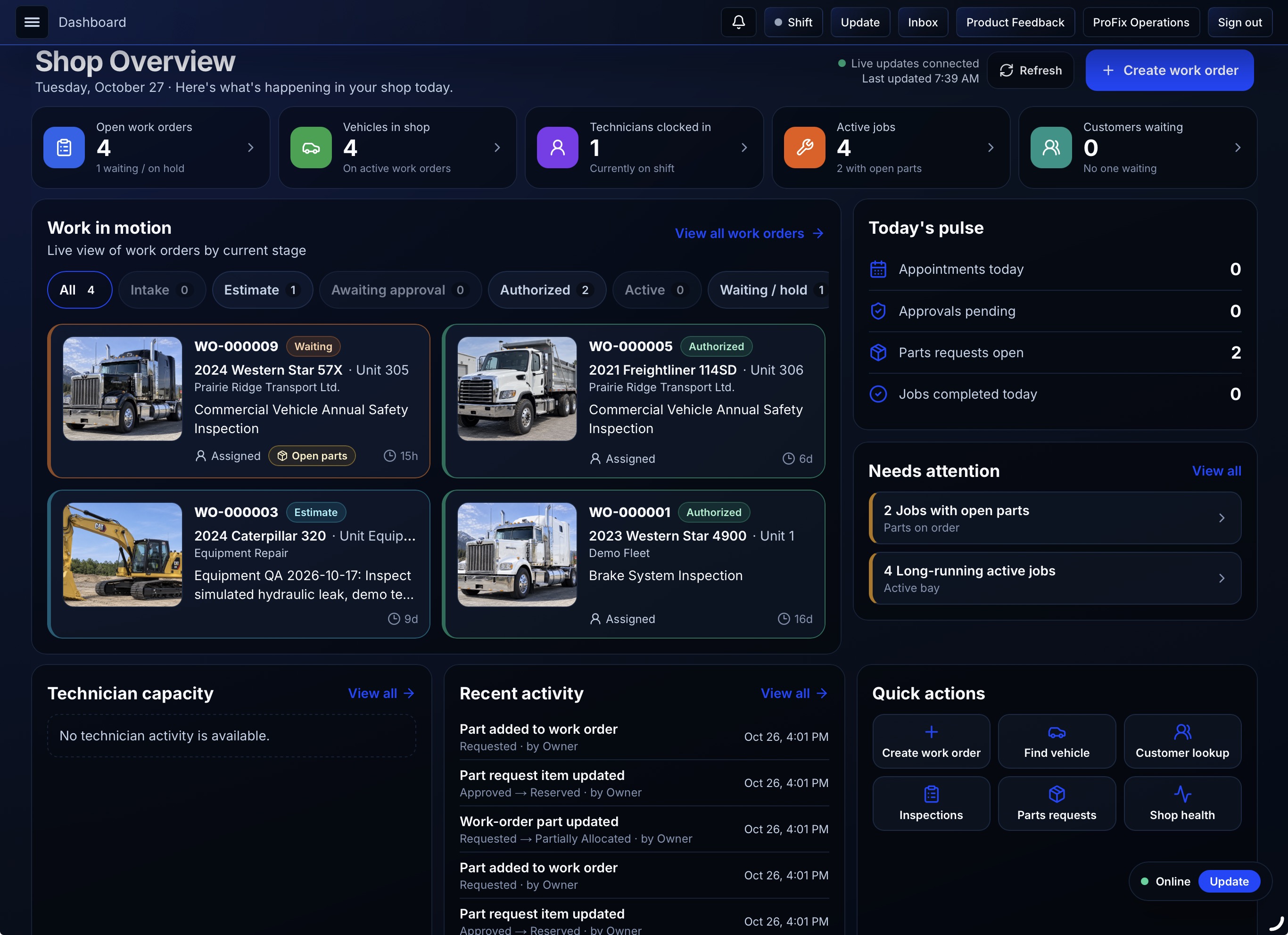
Shop, Field, and Fleet each have a dedicated sign-in and operating boundary. Customer Portal provides a fourth, invitation-based access path.
Run repair operations, the customer journey, and Shop Mobile for authorized shop roles.
Dispatch and complete off-site service visits with explicit operator access and service-truck capacity.
Give participating fleets an owned workspace for assets, maintenance, approvals, and history.
ProFixIQ carries the work forward instead of asking each department to recreate it. Evidence, decisions, parts, labor, and status remain attached from first inspection to final invoice.
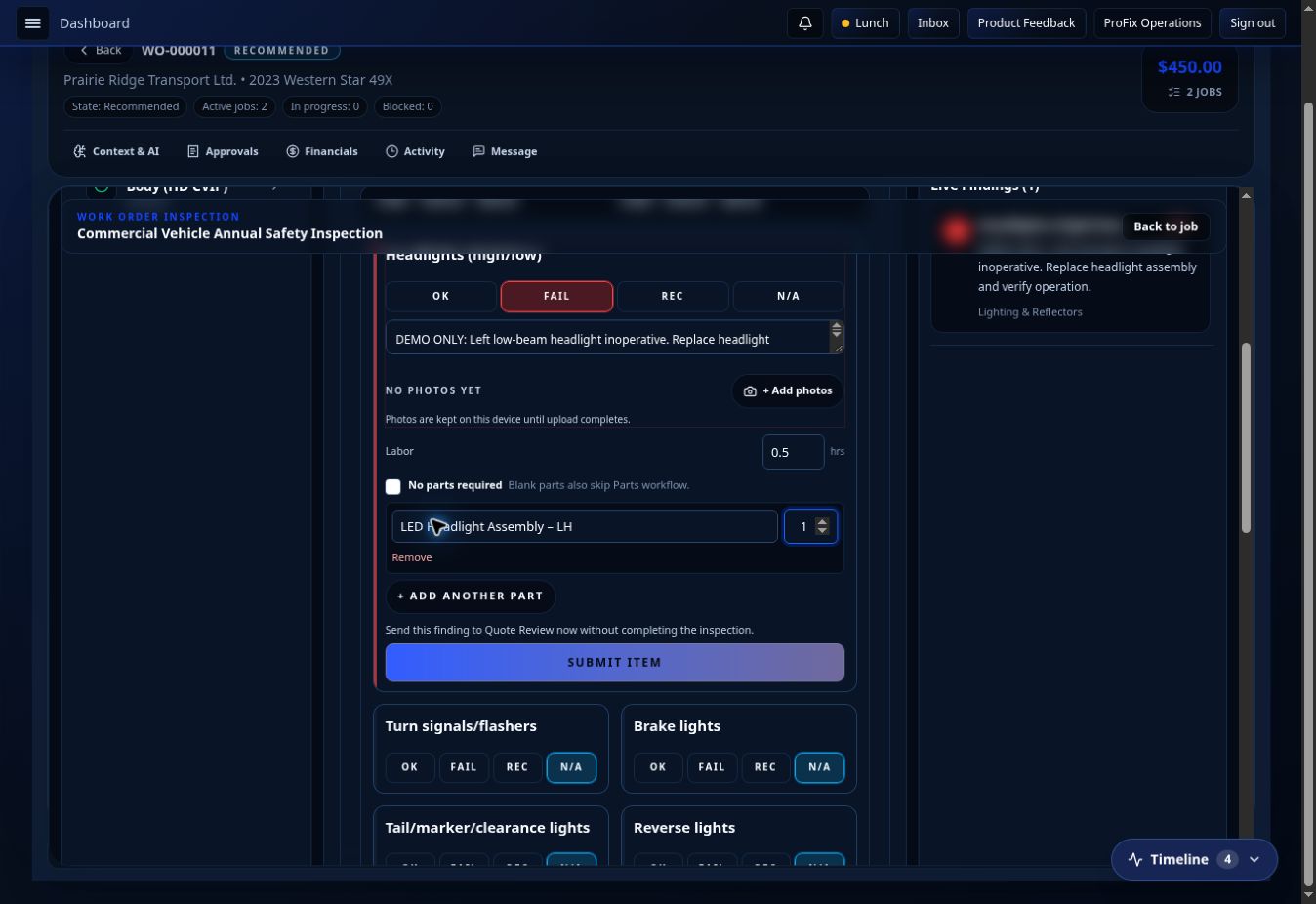
The technician marks the failed item and records the finding, labor, and part on the inspection.
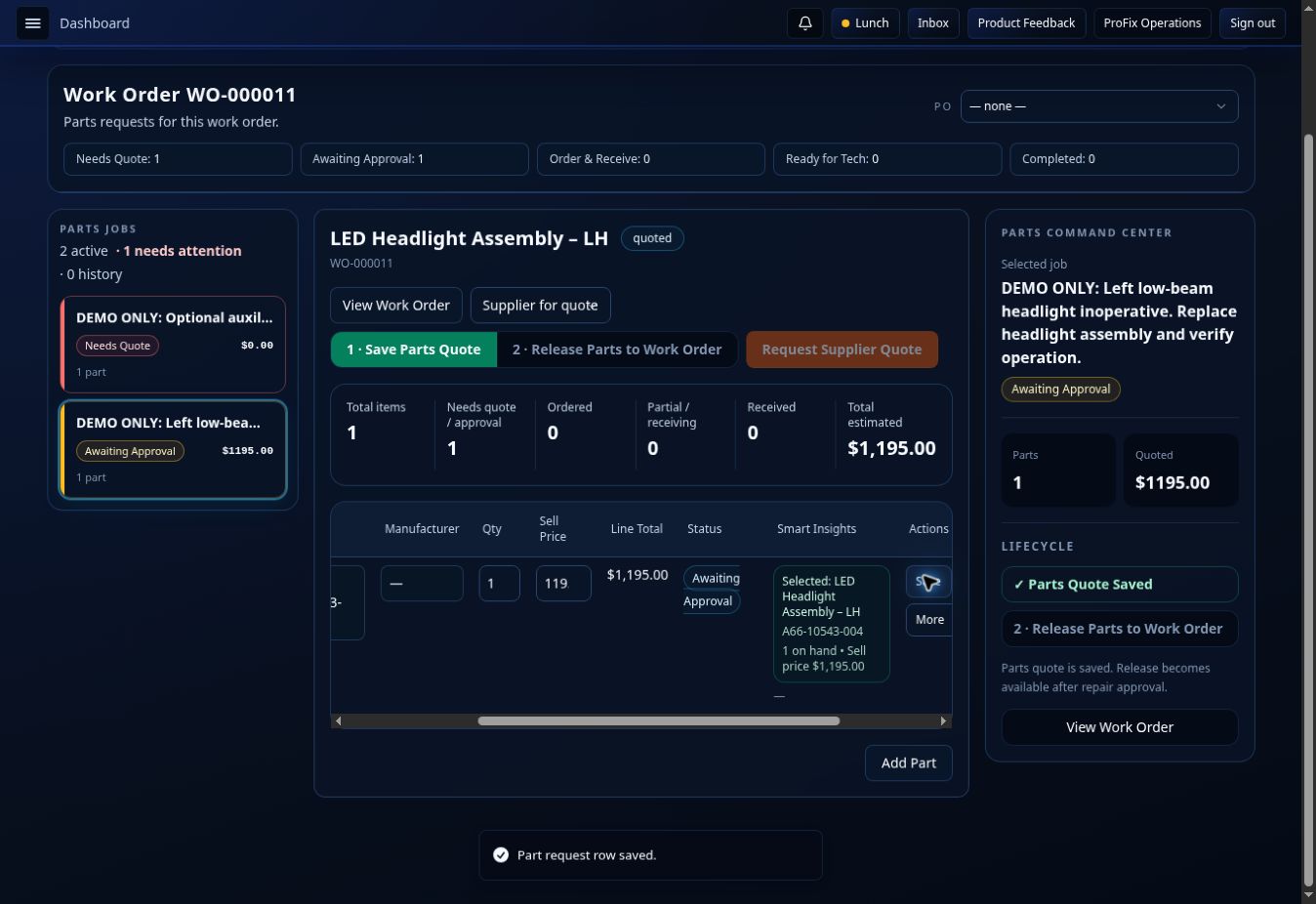
Parts quotes the repair. The advisor reviews the line before sending the estimate.
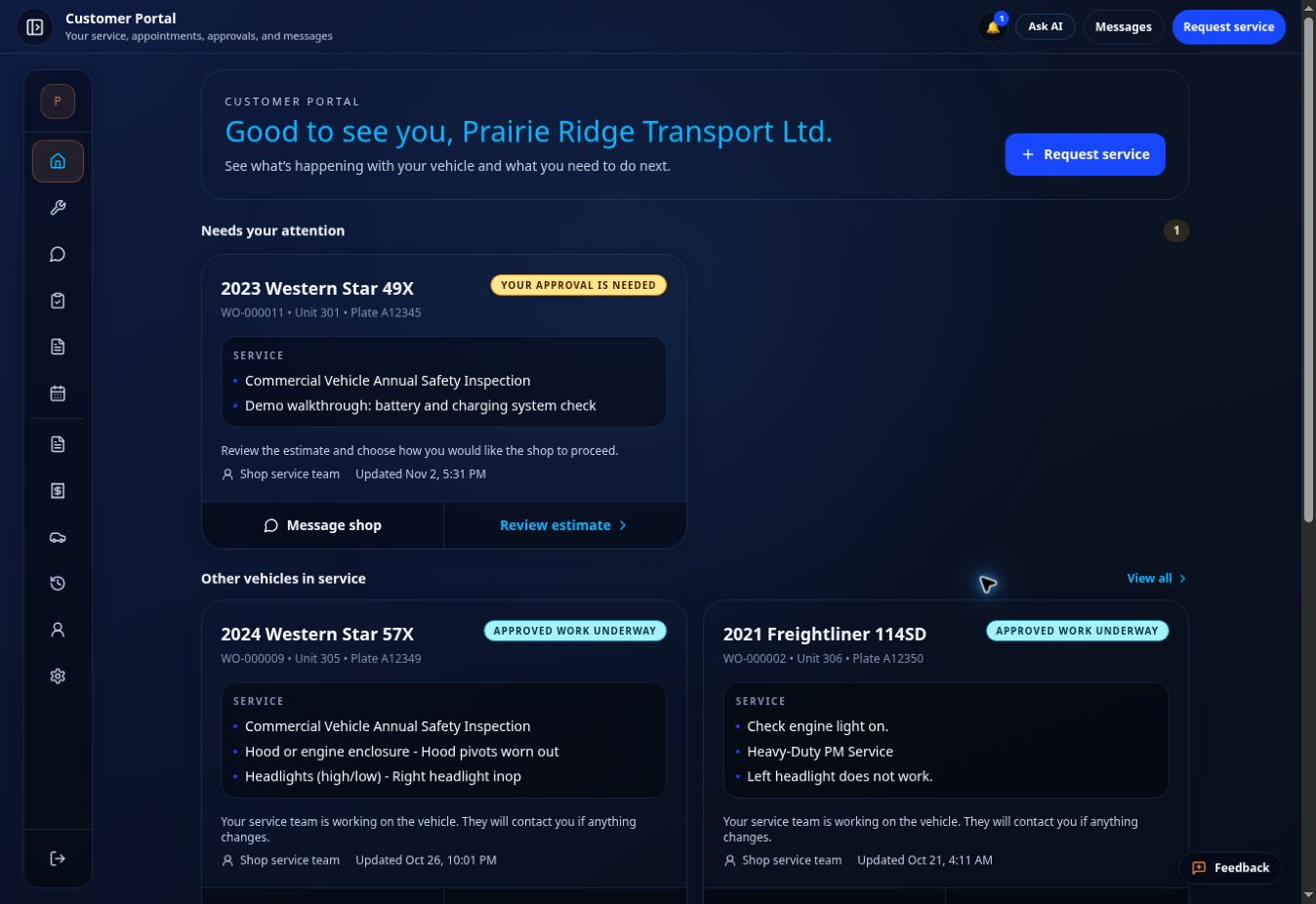
The customer reviews the estimate in the portal and approves, declines, or defers each recommendation.
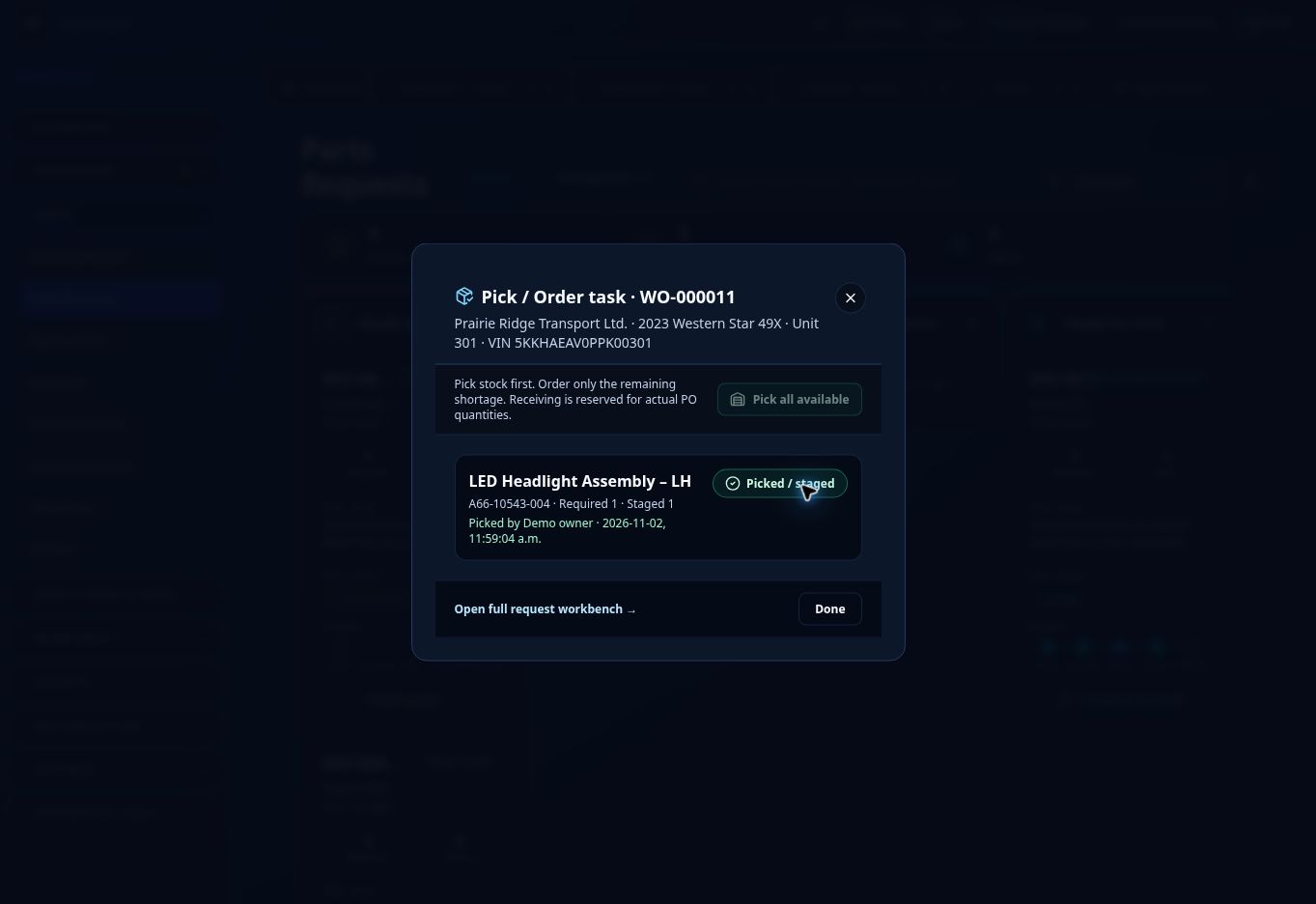
After customer approval, the status is updated and parts department is notified to pick, stage or order the parts required.
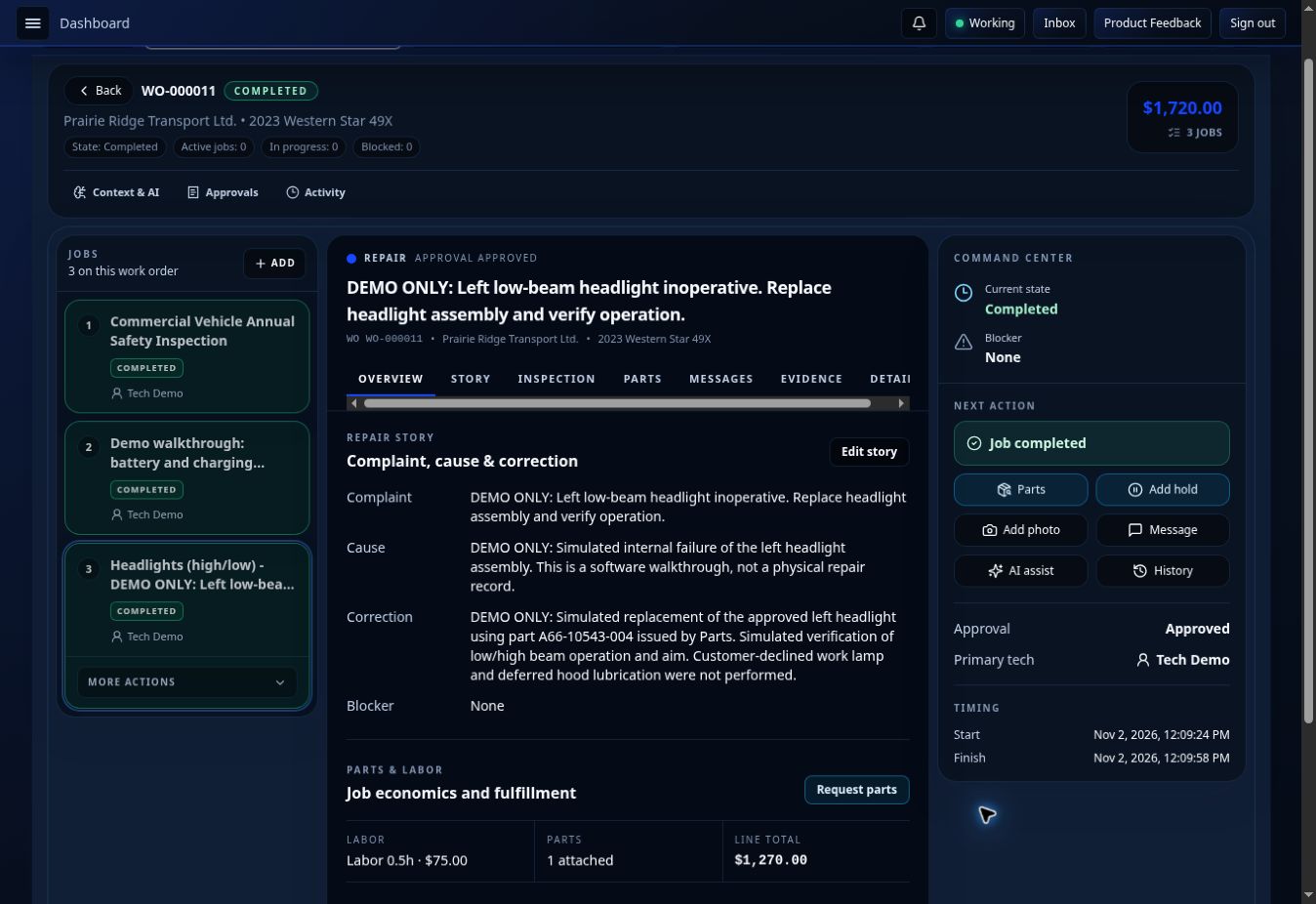
The technician completes and signs the repair. The advisor reviews the work and issues the invoice.
The product follows how a real shop works—then removes the re-entry, blind spots, and disconnected handoffs.
Comparing options? See ProFixIQ vs FullbayVoice-guided inspections keep technicians working naturally. Photos, videos, notes, and measurements remain connected to the exact repair they support.
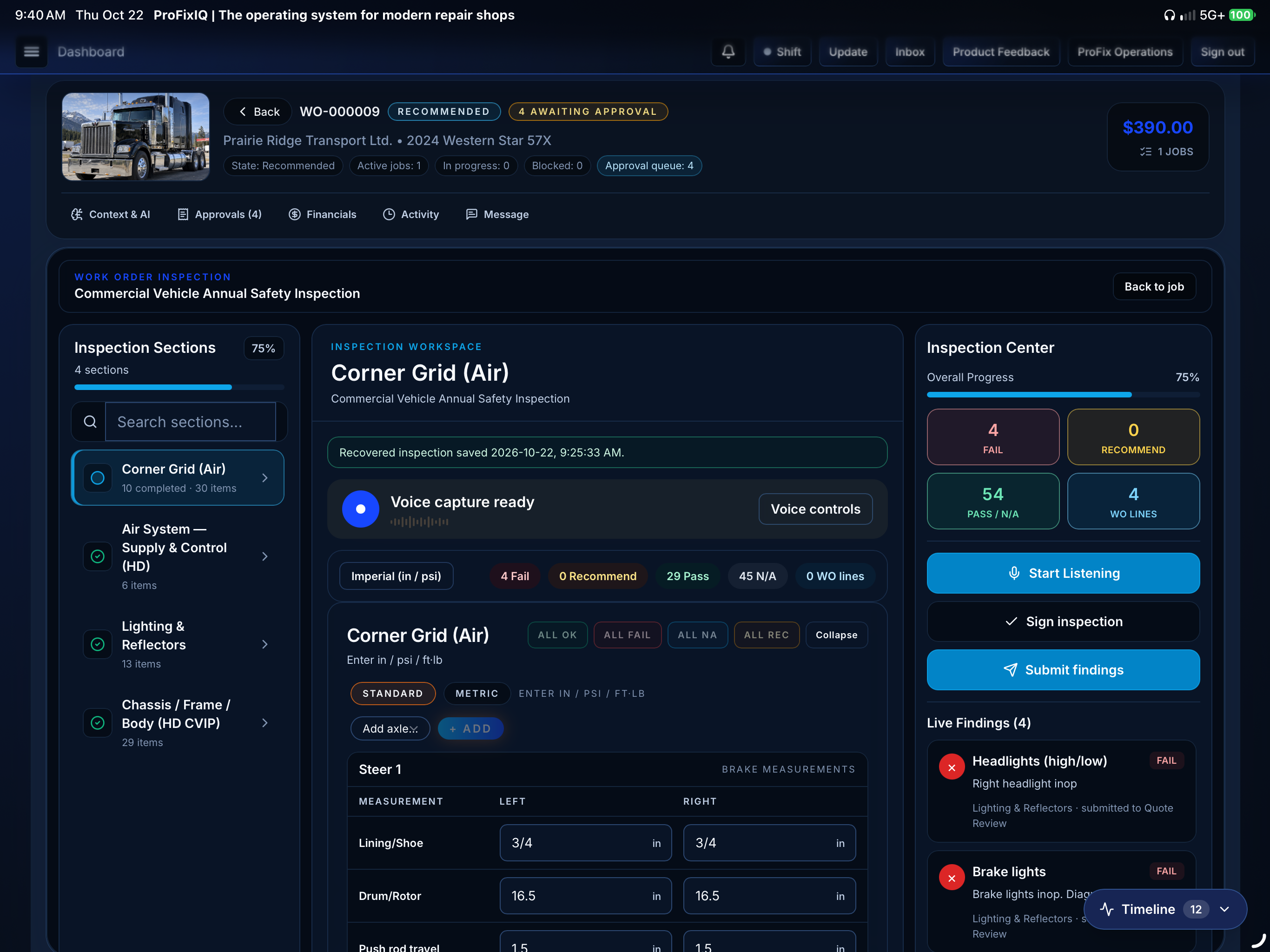
Digital Inspections — Record measurements, document defects, and turn technician findings into actionable repair recommendations, with manual and voice-assisted inspection options.
Advisors review one complete repair line. Customers and fleets see the evidence, approve the work, and trigger the next operational step.
Customer Portal — see the vehicle, review the estimate, and decide what happens next. Demo data shown.
Every team works from the same job state—from request and receiving through completion, invoicing, reporting, and future service history.
Shop workflow — repair details, parts, approval, and completion stay on the work order. Demo data shown.
Less typing, fewer interruptions, and one place to build the repair correctly.
Review evidence, send clear approvals, and see what is blocking every job.
Requests, quotes, orders, receiving, and allocations stay tied to the work.
See operational readiness, workforce activity, and missed opportunity across the shop.
Get evidence, decisions, live status, documents, and history through dedicated portals.
Import your existing data, preview what ProFixIQ understands, and activate a clean operational foundation with guided review at every important decision.
Run Instant Shop Analysis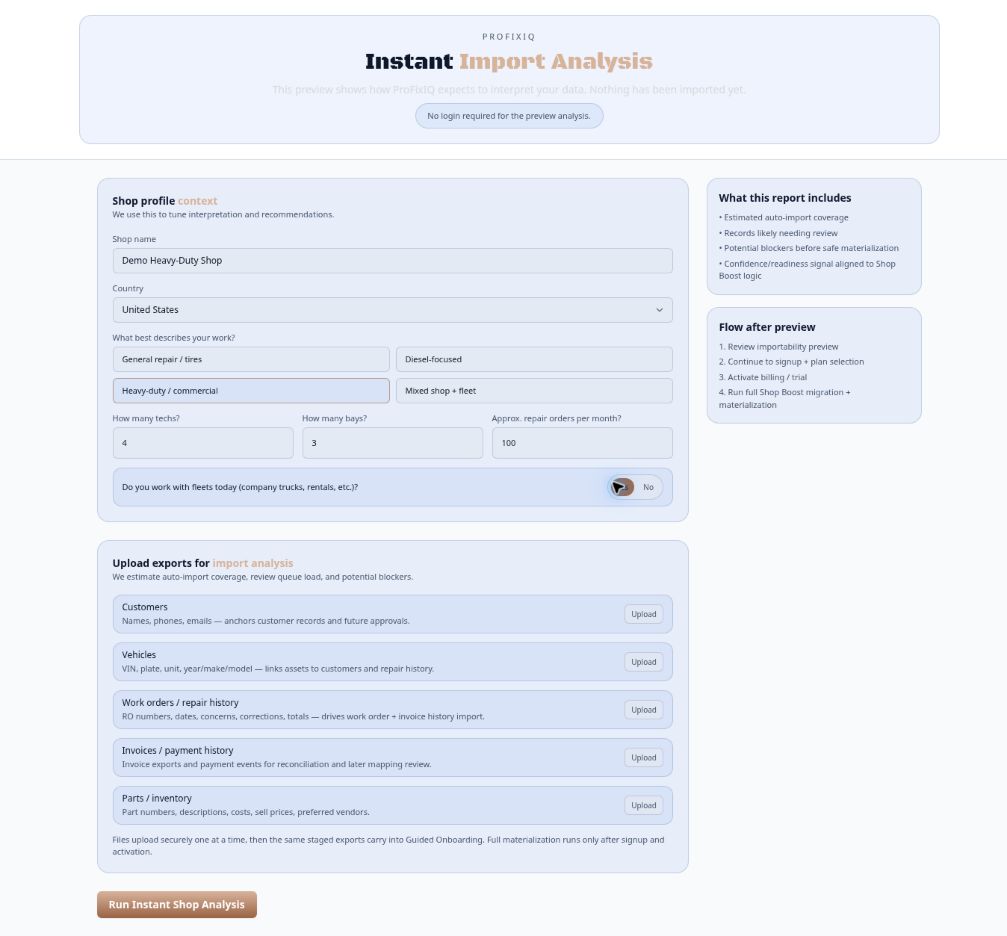
Shop Boost preview — profile your shop and review export coverage before activation. Sample data shown.
Choose the operation you run today. Complete Operations brings every workspace together with owner-controlled access.
Work orders, quotes, inspections, approvals, invoicing
Requests, purchasing, receiving, allocations, inventory
Scheduling, attendance, readiness, documents, certifications
Customer and fleet portals, history, AI assistance, reporting
Add service-truck or fleet-asset capacity only where the product creates more operational value.
The operating system for repair shops working in the bay.
A focused service-truck operation for fleets and independents.
A fleet-owned workspace for maintenance, compliance, and repair history.
Shop, Field Service, and Fleet Maintenance with owner-controlled toggles.
A standalone Equipment workspace for preventive maintenance, Asset Health, inspections, wear tracking, and repair history across off-road and industrial assets—from excavators and haul trucks to forklifts, aerial lifts, mining equipment, generators, and attachments.